Your customers have questions at all hours. When they land on your site looking for a quick answer and find nothing, they email support or, worse, they leave. A good help center fixes that overnight.
The right WordPress themes for knowledge base sites turn that mess into a clean, searchable library. You get organized articles, FAQ pages, and documentation that answer questions before anyone hits the contact button. No code needed.
Every theme on this list comes from the official WordPress.org theme directory. That means each one is free to install today, has passed WordPress’s strict code review, and has a pro upgrade ready when you need more.
Key Takeaways
- All 10 themes are verified on WordPress.org, so they are free, secure, and reviewed, with optional pro upgrades when you grow.
- A strong search and clear categories matter most for a knowledge base, since readers want answers in seconds.
- Dedicated docs themes get you live faster, while multipurpose picks like Astra and Kadence give you more room to grow.
What Makes a Great Knowledge Base WordPress Theme?
The best WordPress themes for knowledge base sites combine a fast, clean design with strong search, clear category layouts, and easy navigation. They help readers find answers quickly and work well on phones, tablets, and desktops.
That is the short version. Here is why each part matters.
People who visit a help center are usually stuck. They want a fix, not a fancy homepage. A theme with a big search bar and simple menus gets them to the right article in a click or two.
Structure is the other half. Your theme needs space for categories, tags, and related articles so hundreds of docs stay tidy. Speed counts too. WordPress powers over 43% of all websites, according to W3Techs, and a fast, well-built theme keeps readers from bouncing.
10 Best Free Knowledge Base WordPress Themes from WordPress.org
Most “best knowledge base theme” lists are packed with pricey marketplace themes the writer never installed. We went the other way. Every pick below lives on WordPress.org, so you can install it from your dashboard in under a minute.
These free knowledge base WordPress themes all follow the freemium model. The free version gets your help center running, and the pro upgrade adds more layouts and support when you want them.
1. Knowledge Base Lite
Best for: Teams that want a ready-made help center design right out of the box.
Download: https://wordpress.org/themes/knowledge-base-lite/
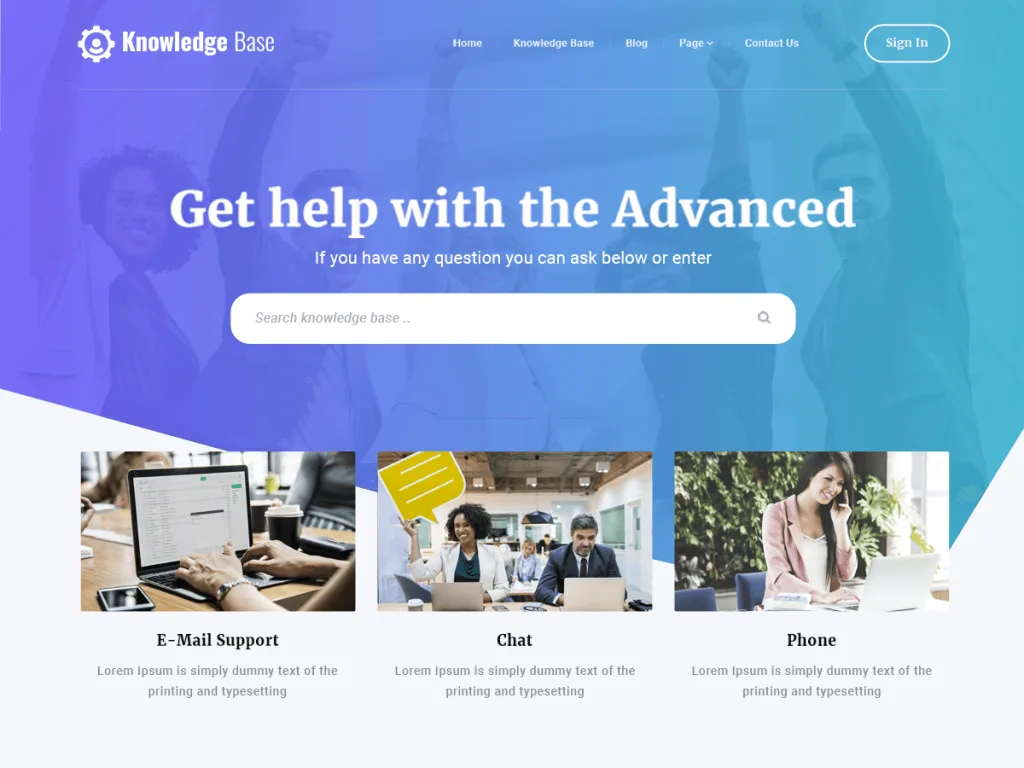
Knowledge Base Lite was built for one job: helping people find answers fast. The homepage puts your article categories front and center, so visitors can scan topics and click straight to the guide they need.
It ships with block patterns, custom colors, and a clean layout that works on any screen. You can add your logo, set your brand colors, and organize FAQs and docs without touching code. The pro version adds more sections and priority support.
2. IKnowledgeBase
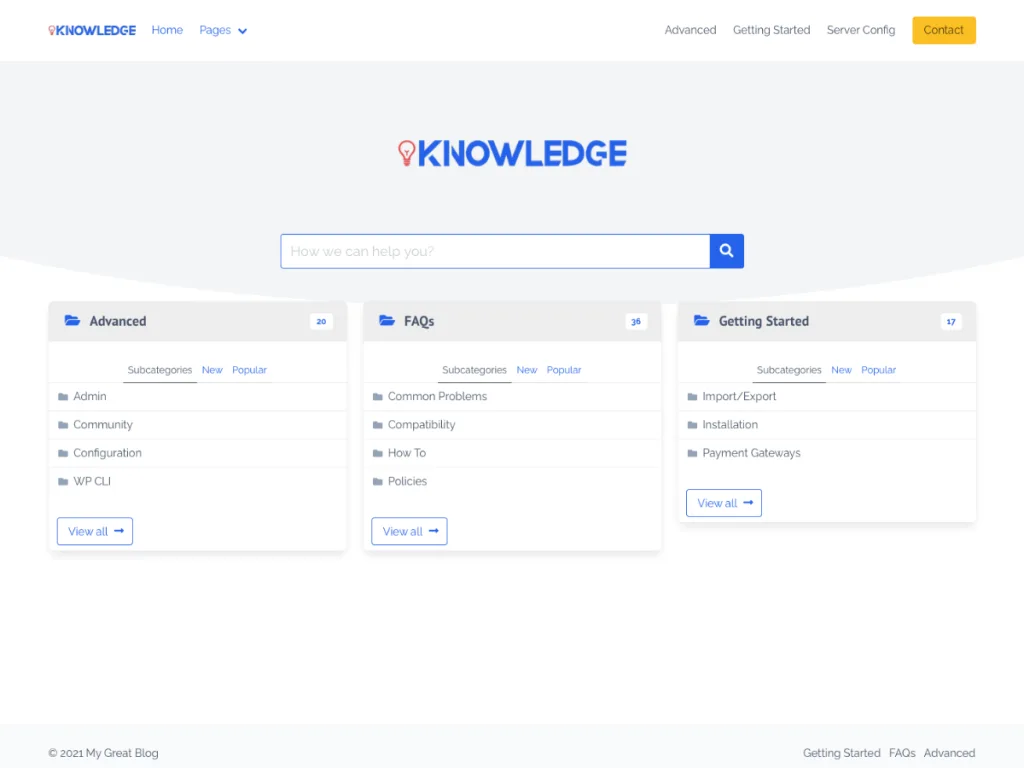
Best for: The most popular free option, trusted by over 1,000 active sites.
Download: https://wordpress.org/themes/iknowledgebase/
IKnowledgeBase, from Wow-Company, is one of the most-used free knowledge base themes out there. It groups your articles into neat category boxes on the homepage, so readers see every topic at a glance.
The design is light and quick, with theme options to tweak colors and layout. It supports left or right sidebars, which is handy for long docs. If you want a proven, no-fuss help center, this is a safe first pick.
3. MyKnowledgeBase
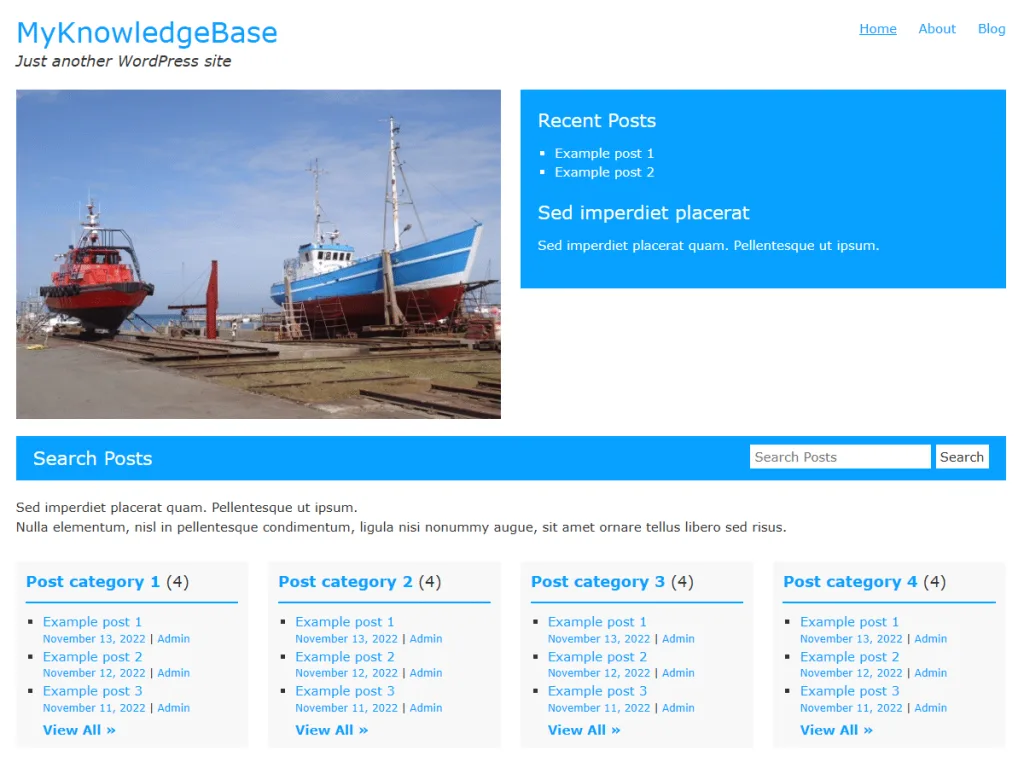
Best for: Lightweight docs sites that need speed and a perfect user rating.
Download: https://wordpress.org/themes/myknowledgebase/
MyKnowledgeBase holds a 100% rating on WordPress.org for good reason. It is simple, fast, and made for text-heavy content like guides, manuals, and FAQs.
You get footer widgets, featured images, and a clean editor style that keeps articles easy to read. It is a great choice if you value speed and want your words, not the design, to do the talking.
4. Iknow
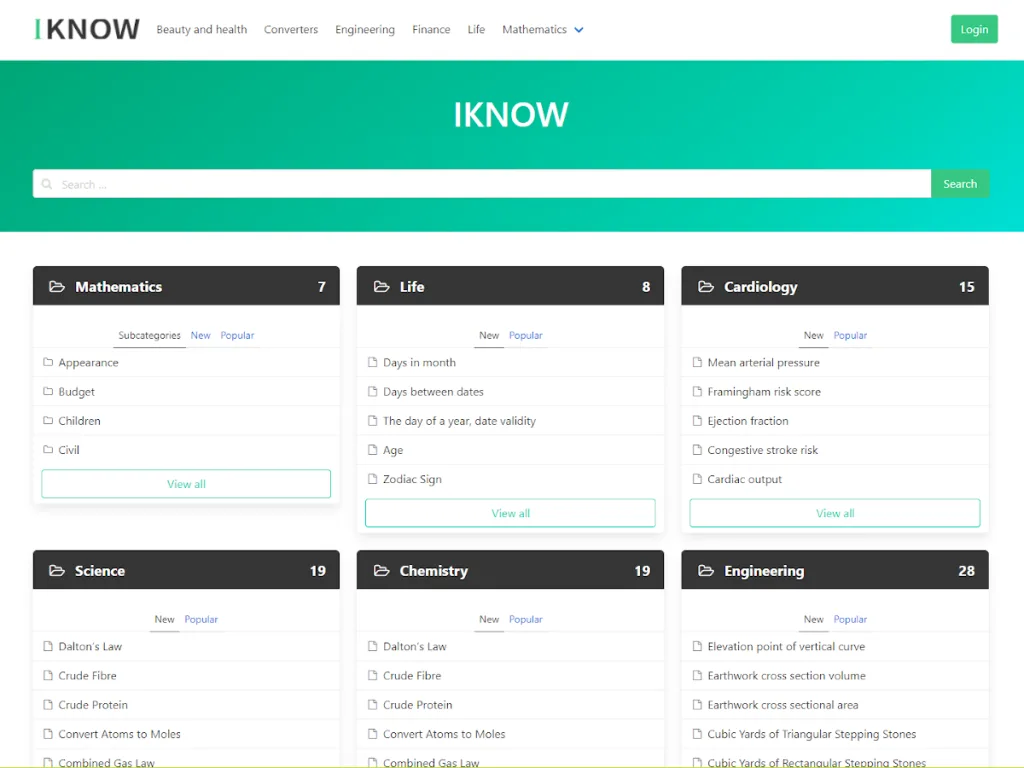
Best for: FAQ-style help centers that need a friendly, tidy look.
Download: https://wordpress.org/themes/iknow/
Iknow is another strong free theme from Wow-Company, with a near-perfect user rating. It focuses on FAQs and quick answers, so it suits products and services with lots of common questions.
The homepage highlights popular topics and featured articles up top. With theme options and featured image support, you can shape it to match your brand in minutes. It is a smart pick for a first help center.
5. Monobase
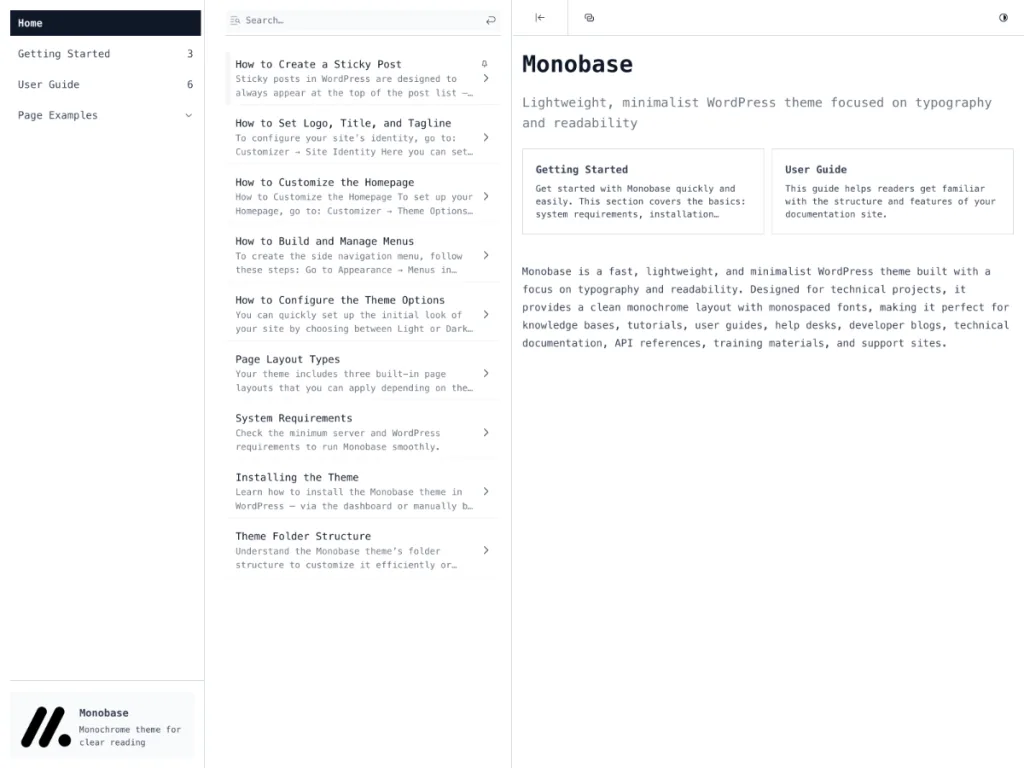
Best for: Single-page docs where everything sits on one scrolling layout.
Download: https://wordpress.org/themes/monobase/
Monobase takes a different route. Instead of many pages, it lays your documentation out on a single page with sidebar navigation. Readers scroll or jump to any section without loading a new screen.
This layout is popular for software docs, API guides, and product manuals. It feels modern and fast, and the sticky menu keeps every topic one click away. If your content flows in a clear order, Monobase shines.
6. Online Documentation
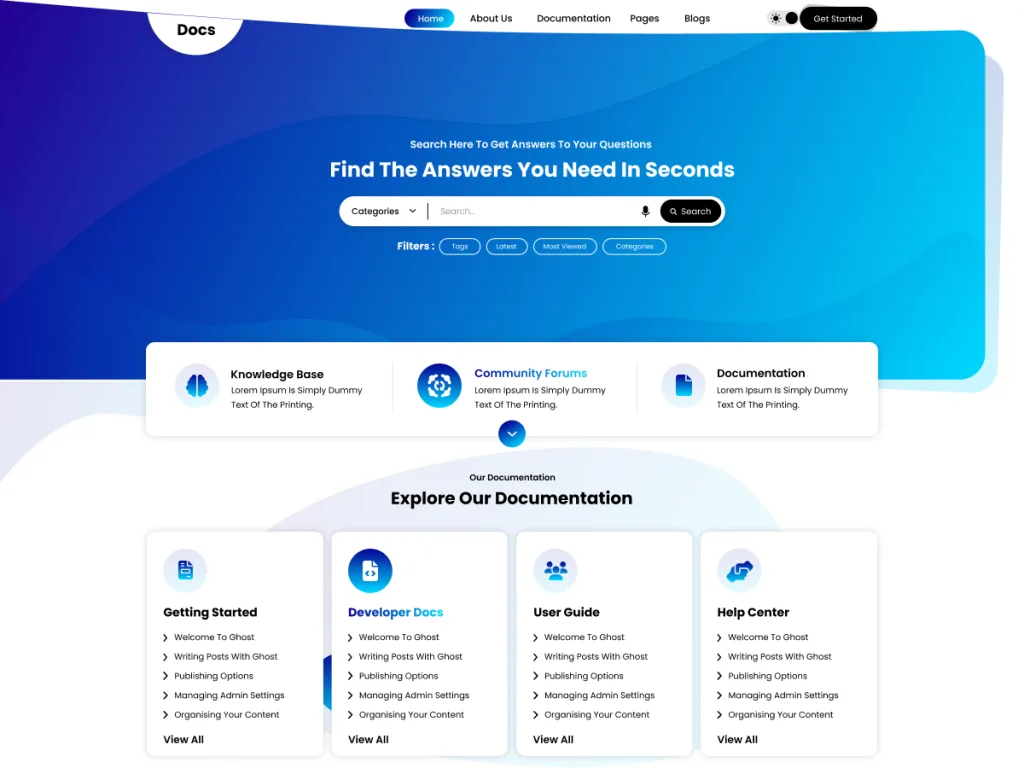
Best for: Product and software teams that publish detailed guides.
Download: https://wordpress.org/themes/online-documentation/
Online Documentation, by VW Themes, is built for structured guides and manuals. It uses a sidebar layout that lists your sections, so users always know where they are in a long doc.
It comes with block patterns, custom colors, and an editor style tuned for readable text. The theme is a solid fit for onboarding docs, setup guides, and help articles that need a clear order.
7. WP Documentation
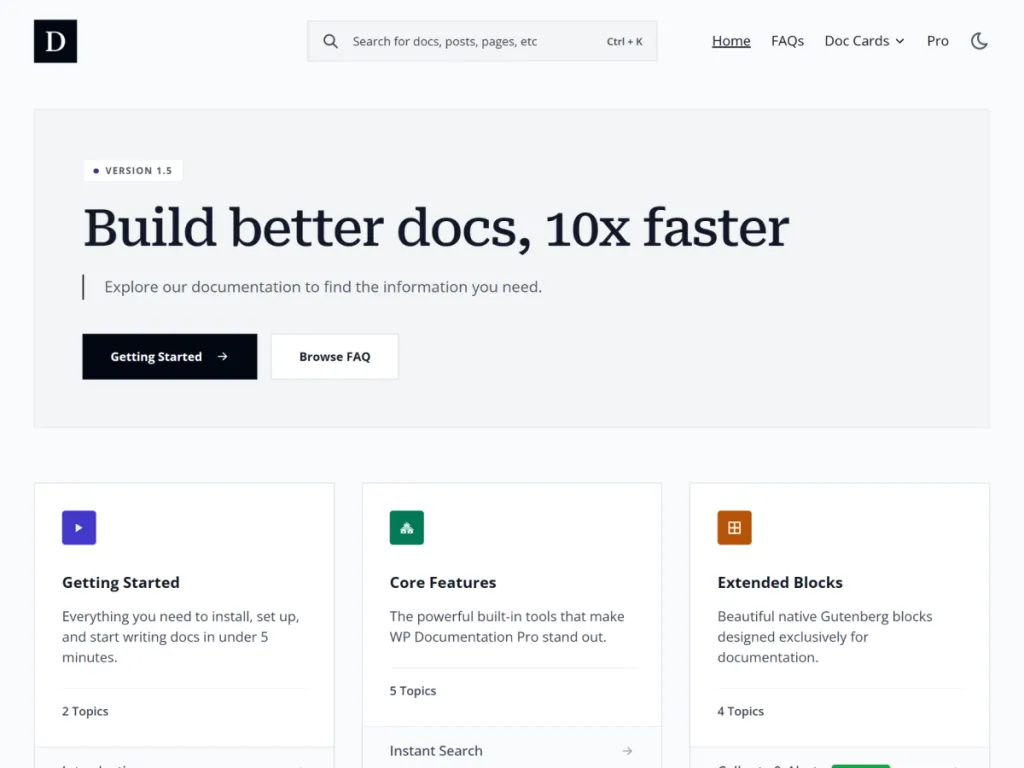
Best for: Two-column docs with a full-width reading area.
Download: https://wordpress.org/themes/wp-documentation/
WP Documentation keeps things clean with a two-column setup. One column holds your topic menu, and the other holds the article. It is a layout readers already know from big software docs.
The theme is translation ready and offers a full-width template for longer guides. Theme options let you adjust the look without code. It is a dependable pick for a growing doc library.
8. Astra
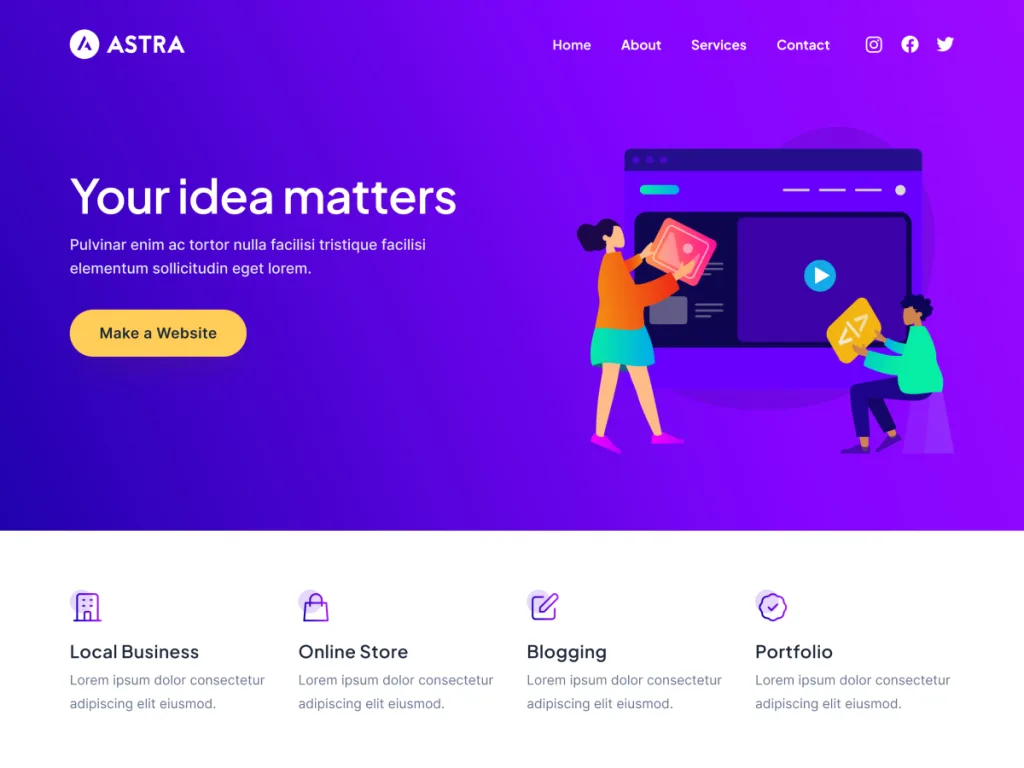
Best for: A fast, flexible base you can grow into a full help center.
Download: https://wordpress.org/themes/astra/
Astra powers over a million websites, and it is a favorite for good reason. It is fast, light, and works with Elementor and the block editor. Its starter templates include docs and business layouts you can import in one click.
Pair Astra with a free knowledge base plugin and you have a help center that scales to thousands of articles. If you want one theme for your whole site plus docs, Astra is hard to beat.
9. Kadence
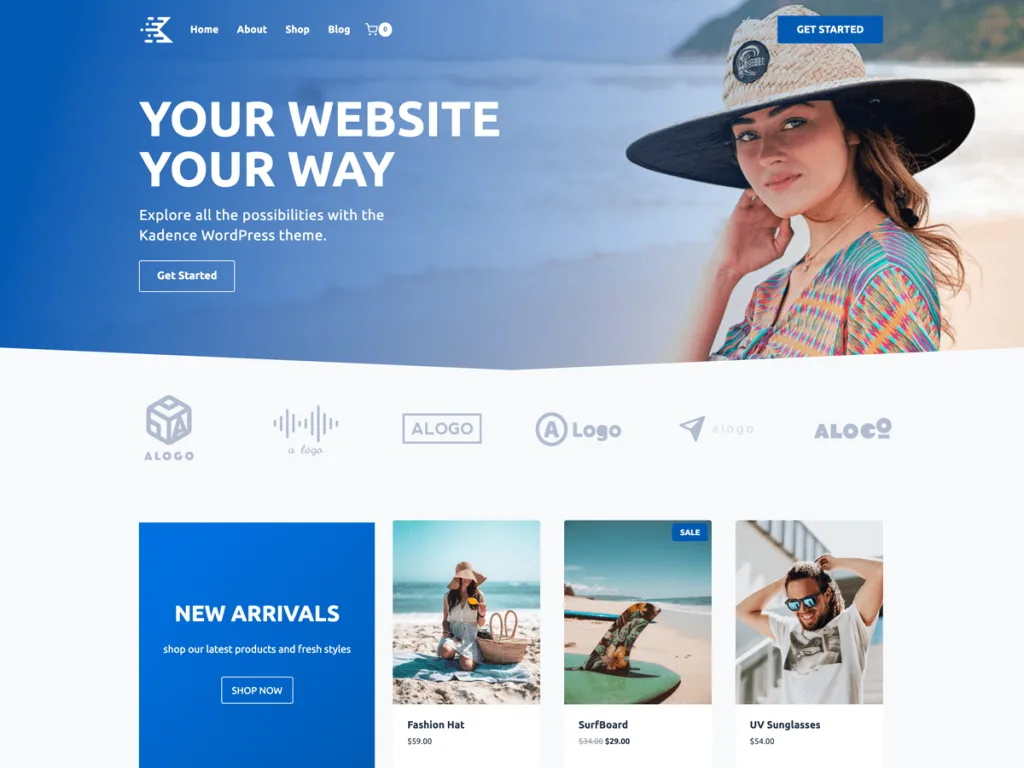
Best for: Accessible help centers with a drag-and-drop header and footer.
Download: https://wordpress.org/themes/kadence/
Kadence is a modern, fast theme that is accessibility ready. Its header and footer builder lets you place a search bar and menu exactly where users expect them. That is a big win for a help center.
The free starter templates give you a clean base, and the theme plays nicely with block plugins. If you care about a smooth reading experience for everyone, Kadence is a strong choice.
10. GeneratePress
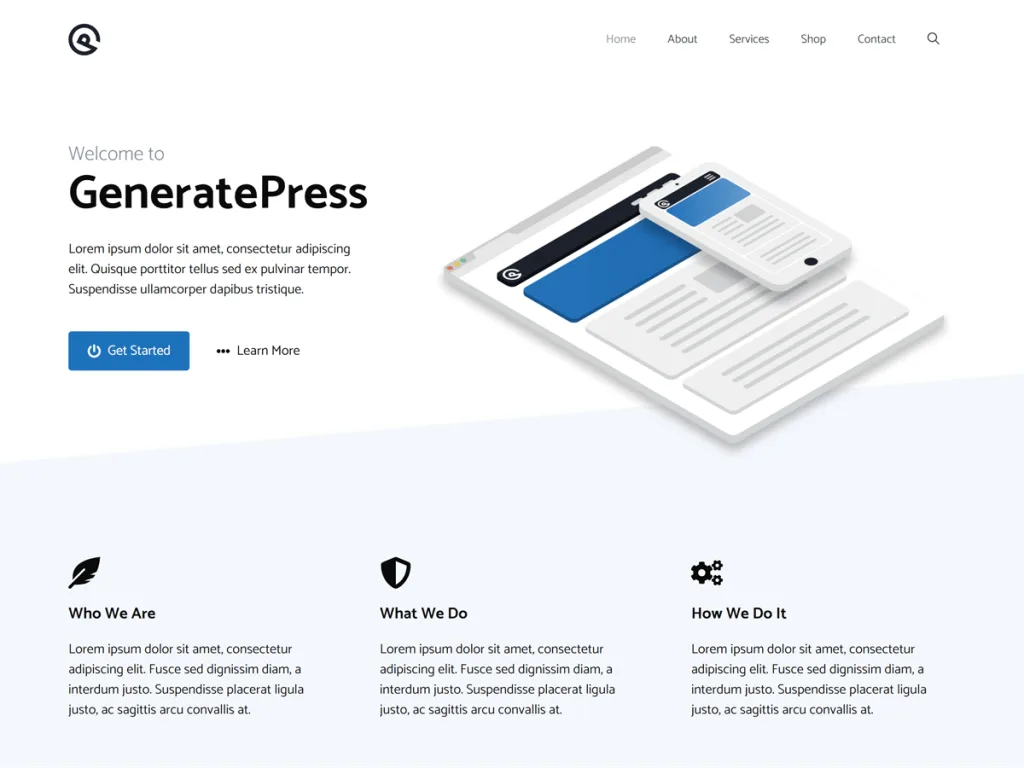
Best for: Speed lovers who want a light, no-bloat docs site.
Download: https://wordpress.org/themes/generatepress/
GeneratePress is famous for being tiny and fast. It loads in a flash, which keeps readers happy and helps your articles rank. That speed makes it a great base for a large knowledge base.
The theme is modular, so you turn on only the features you need. Add the free GenerateBlocks plugin and you can build clean doc layouts with ease. For a lean, quick help center, it is a top pick.
Quick Comparison: Knowledge Base Theme Features
| Theme | Best For | Standout Feature |
|---|---|---|
| Knowledge Base Lite | Ready-made help center | Category-first homepage |
| IKnowledgeBase | Most popular free pick | Neat category boxes |
| MyKnowledgeBase | Lightweight docs | 100% user rating |
| Iknow | FAQ help centers | Featured topics up top |
| Monobase | Single-page docs | Sticky sidebar nav |
| Online Documentation | Product guides | Structured sidebar |
| WP Documentation | Two-column docs | Full-width template |
| Astra | Whole-site plus docs | One-click templates |
| Kadence | Accessible help centers | Header and footer builder |
| GeneratePress | Speed-first docs | Ultra-light code |
How to Choose the Right Knowledge Base Theme
Start with your content type. If you publish long, ordered guides, a docs theme like Online Documentation or Monobase fits best. If you answer short questions, an FAQ theme like Iknow works well.
Next, think about search. Readers expect a search bar at the top of any help center. Pick a theme that shows one clearly, or plan to add a free live-search plugin.
Here are the four things that matter most:
- Speed: A fast theme keeps readers from leaving and helps SEO.
- Search: Look for a clear search bar or easy plugin support.
- Structure: Good category and sidebar layouts keep docs tidy.
- Room to grow: Make sure it handles hundreds of articles with ease.
Setting Up a Knowledge Base the Right Way
Getting started is simpler than it looks. In our experience, most teams get a basic help center live in an afternoon. Follow these steps and you will avoid the usual headaches.
- Install your theme from the WordPress dashboard under Appearance, then Themes.
- Plan your categories first, like Getting Started, Billing, and Troubleshooting.
- Write short, clear articles with one topic each, so they are easy to scan.
- Add a search bar to the header so answers are always one click away.
- Link related articles at the end of each guide to keep readers moving.
Want a head start? Browse our free WordPress themes and pair one with a knowledge base plugin to launch your help center today.
Common Knowledge Base Mistakes to Avoid
Hiding the search bar. If readers cannot find search, they give up. Keep it at the top of every page where people expect it.
Writing long, mixed articles. One article should answer one question. Split big guides into smaller, focused pieces that are easy to scan.
Skipping categories. A pile of articles with no structure is hard to use. Set up clear categories before you publish a lot of content.
Ignoring mobile users. Many readers open help centers on their phones. Always test your theme on a small screen before you launch.
Frequently Asked Questions
What is the best WordPress theme for a knowledge base?
IKnowledgeBase and Knowledge Base Lite are the top free picks, while Astra and Kadence are the best multipurpose options with docs-ready starter templates.
Are these knowledge base WordPress themes really free?
Yes. Every theme here lives on the official WordPress.org directory, so you can install it free. Most also offer a paid pro version with extra features.
Do I need a plugin to build a knowledge base?
Not always. Many of these themes handle articles and categories on their own. A plugin helps if you want features like article voting or restricted access.
Can I add a search bar to my knowledge base?
Yes. Most of these themes include a built-in search, and you can add live search with a free plugin so readers find answers faster.
Which knowledge base theme is best for documentation?
Online Documentation, WP Documentation, and Monobase are built for docs. They use sidebar navigation that makes long guides easy to follow.
Do knowledge base themes work with Elementor?
Astra, Kadence, GeneratePress, and Neve all work well with Elementor, so you can design custom help pages by dragging and dropping.
Will a knowledge base help reduce support tickets?
Yes. A clear self-service help center lets customers solve problems on their own, which cuts down on repeat questions and support emails.
Is WordPress good for a help center?
Yes. WordPress is flexible, SEO-friendly, and free to start. With the right theme, it powers everything from small FAQ pages to large doc libraries.
How many articles can a knowledge base theme hold?
There is no real limit. WordPress can handle thousands of articles. Good category and tag structure keeps them organized as your library grows.
Can I switch themes later without losing my articles?
Yes. Your posts, pages, and categories stay safe when you switch themes. You only need to reset menus, widgets, and the homepage layout.
Conclusion
The best WordPress themes for knowledge base sites do not have to cost a thing. Dedicated picks like IKnowledgeBase, Knowledge Base Lite, and Online Documentation get a help center live fast, while flexible themes like Astra, Kadence, and GeneratePress give you room to grow.
Whichever you choose, focus on the basics: fast loading, strong search, clear categories, and mobile-friendly design. Those four things decide whether your knowledge base saves you support time or just sits there.
Ready to build a help center your customers will actually use? Explore our hand-crafted free WordPress themes at StrivioThemes and launch your knowledge base today.
Keep Reading
More theme guides worth a look: