
A slow site costs you visitors and sales. People leave when pages lag. Google notices too, and slow pages can rank lower.
The best WordPress caching plugins fix that fast. Caching stores ready-made pages, so your site skips heavy work and loads in a snap. We tested the top ten for speed.
Every plugin on this list lives on the official WordPress.org plugin directory. So each one is free to install today, has passed WordPress’s review, and offers paid upgrades when you need them.
Key Takeaways
- Caching stores ready pages, so your site loads much faster for every visitor.
- LiteSpeed Cache and WP Fastest Cache lead on raw speed, with strong free features.
- Use only one caching plugin. Two can clash and break your site.
What Makes a Great WordPress Caching Plugin?
The best WordPress caching plugins combine fast page cache with easy setup, code minifying, and browser caching. They boost speed and help your Core Web Vitals scores.
That is the short version. Here is why each part matters.
Speed keeps visitors. A cached page loads in a flash, so people stay and browse. A slow page sends them straight back to search results.
Simple setup matters too. WordPress runs over 43% of all websites, according to W3Techs. A good caching plugin should speed things up with just a few clicks.
Best WordPress Caching Plugins Tested for Speed
We tested the top caching plugins on WordPress.org for speed, features, and ease of use. Here are the ten best to make your site fast.
1. LiteSpeed Cache

Best for: The fastest results on LiteSpeed hosts. Download: wordpress.org/plugins/litespeed-cache
LiteSpeed Cache is a powerful all-in-one speed plugin. On a LiteSpeed server, it uses server-level cache that is very fast. It also works on other hosts with its own cache.
Beyond page cache, it minifies code, lazy-loads images, and offers a free CDN. It even converts images to WebP. All of this is free, which is rare for so many features. If your host runs LiteSpeed, this plugin is the clear top pick for pure speed.
- Fast server-level page cache
- Minify code and lazy-load images
- Free CDN and WebP images
- Huge free feature set
2. WP Fastest Cache

Best for: Simple, fast caching on any host. Download: wordpress.org/plugins/wp-fastest-cache
WP Fastest Cache lives up to its name. It is easy to set up and works well on almost any host. You turn on the options you want with a click.
It creates static pages, minifies code, and adds browser cache to speed things up. The free version covers the basics well, and the premium adds image tools and more. For a plugin that is quick to set up and just works, WP Fastest Cache is a great choice for most sites.
- Very easy setup
- Static page cache
- Minify code and browser cache
- Works on any host
3. WP Super Cache

Best for: A trusted free classic. Download: wordpress.org/plugins/wp-super-cache
WP Super Cache is a long-trusted plugin from the team behind WordPress.com. It serves static HTML files instead of heavy PHP, which makes pages load fast.
It is simple and reliable, with an easy mode for quick setup. Because it is so widely used and well maintained, it rarely causes problems. It has fewer extras than newer tools, but for a stable, free page cache that just works, WP Super Cache remains a safe, solid choice.
- Serves fast static HTML
- Easy mode for quick setup
- Stable and well maintained
- Trusted by millions
4. W3 Total Cache
Best for: Power users who want full control. Download: wordpress.org/plugins/w3-total-cache
W3 Total Cache is a feature-packed plugin for those who like to tweak. It offers many cache types, from page to database to object cache, plus CDN support.
All that power means more settings to learn, so it suits users who enjoy fine control. When set up well, it can make a big speed difference. It is not the simplest tool here, but for developers and power users who want to squeeze out every bit of speed, W3 Total Cache delivers.
- Page, database, and object cache
- CDN support built in
- Deep control for power users
- Strong speed when tuned
5. WP-Optimize

Best for: Cache plus database cleanup. Download: wordpress.org/plugins/wp-optimize
WP-Optimize does more than cache. It also cleans your database, compresses images, and minifies code. That makes it a three-in-one speed tool.
A bloated database can slow your site over time. WP-Optimize clears out old drafts, spam, and junk to keep things lean. Add its page cache and image tools, and you get a real speed boost from one plugin. For an all-round cleanup and cache combo, WP-Optimize is a smart, simple pick.
- Page cache built in
- Cleans a bloated database
- Compresses images
- Three tools in one
6. Speed Optimizer by SiteGround

Best for: SiteGround hosting users. Download: wordpress.org/plugins/sg-cachepress
Speed Optimizer, once called SG Optimizer, is SiteGround’s own speed plugin. It works best on SiteGround hosting, where it taps server-level cache for fast results.
It handles page cache, image compression, WebP images, and code minifying in one place. On SiteGround, it is the natural choice and needs little setup. It works on other hosts too, though it shines most on its home turf. For SiteGround customers, this plugin is an easy, effective way to speed up a site.
- Server-level cache on SiteGround
- Image compression and WebP
- Code minifying built in
- Little setup needed
7. Hummingbird
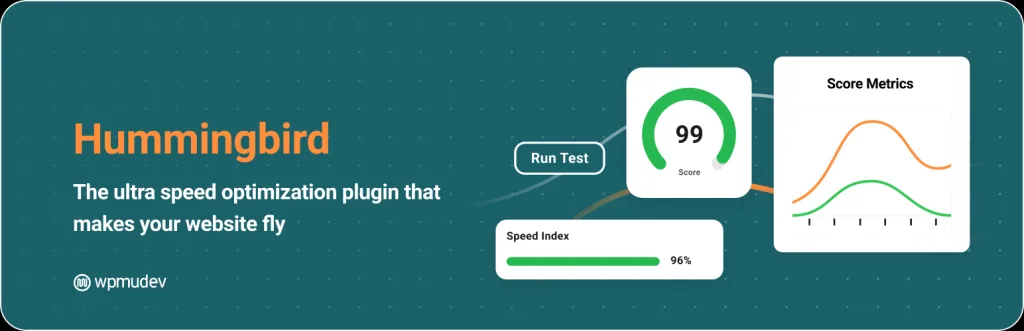
Best for: Guided speed fixes and scans. Download: wordpress.org/plugins/hummingbird-performance
Hummingbird, by WPMU DEV, pairs caching with a speed scan that guides your fixes. It checks your site and suggests steps to improve your score.
It offers page cache, code minifying, and lazy loading, all with clear on-screen tips. This hand-holding helps beginners who are not sure what to change. It focuses on Core Web Vitals, so your fixes target what matters. For users who want guidance, not just settings, Hummingbird is a friendly, effective pick.
- Speed scan with guided fixes
- Page cache and minifying
- Core Web Vitals focus
- Beginner friendly
8. Breeze

Best for: A free, well-rounded cache plugin. Download: wordpress.org/plugins/breeze
Breeze, by Cloudways, is a free caching plugin that covers the key basics. It handles page cache, code minifying, and browser cache without a paywall.
It is simple to set up and works on most hosts, not just Cloudways. You get GZIP, database cleanup, and CDN support too. For a completely free plugin that still offers a strong feature set, Breeze is a great option, especially for budget sites that want good speed at no cost.
- Free page cache and minifying
- GZIP and browser cache
- Database cleanup and CDN
- Works on most hosts
9. Cache Enabler

Best for: A simple, lightweight cache. Download: wordpress.org/plugins/cache-enabler
Cache Enabler, by KeyCDN, is a light, no-nonsense caching plugin. It creates static HTML files and serves them fast, with very few settings to worry about.
Its simple approach makes it easy to set up and hard to break. It supports WebP images and works well with a CDN. It does not try to do everything, which keeps it fast and stable. For users who want a clean, minimal cache plugin without clutter, Cache Enabler is a smart pick.
- Light and minimal
- Fast static HTML cache
- WebP and CDN support
- Easy to set up
10. Comet Cache

Best for: Set-and-forget page caching. Download: wordpress.org/plugins/comet-cache
Comet Cache is a simple plugin that caches your pages, posts, and other content. Once on, it saves snapshots and serves them fast to your visitors.
It offers clear options for when to clear the cache, so your content stays fresh. The setup is friendly and does not overwhelm you with settings. It is a straightforward, reliable page cache for sites that want speed without fuss. For a simple set-and-forget cache, Comet Cache is a dependable option.
- Caches pages and posts
- Clear cache-clearing options
- Friendly, simple setup
- Reliable and steady
Quick Comparison: WordPress Caching Plugins
| Plugin | Best For | Standout Feature |
|---|---|---|
| LiteSpeed Cache | LiteSpeed hosts | Server cache plus CDN |
| WP Fastest Cache | Any host | Very easy setup |
| WP Super Cache | Trusted classic | Stable static HTML |
| W3 Total Cache | Power users | Many cache types |
| WP-Optimize | Cache plus cleanup | Three tools in one |
| Speed Optimizer | SiteGround hosts | Server-level cache |
| Hummingbird | Guided fixes | Speed scan tips |
| Breeze | Free full features | No paywall |
| Cache Enabler | Lightweight cache | Simple and stable |
| Comet Cache | Set and forget | Easy page cache |
How to Choose the Right Caching Plugin
Start with your host. If you use LiteSpeed, pick LiteSpeed Cache. If you use SiteGround, pick Speed Optimizer. Both tap fast server-level cache.
On other hosts, WP Fastest Cache and Breeze are easy and effective. Power users may prefer W3 Total Cache for deep control.
- Host match: Use your host’s own cache plugin if it has one.
- Ease of use: Beginners should pick a simple tool.
- Features: Look for minifying, WebP, and a CDN.
- One only: Never run two caching plugins at once.
Common Caching Mistakes to Avoid
Running two cache plugins. They clash and cause errors. Use only one at a time.
Caching cart and checkout. On a store, exclude those pages so shoppers see live data.
Turning on every option at once. Minify and combine can break some sites. Turn on features one by one and test.
Never testing speed. Use a speed tool before and after. That way you know your changes actually helped.
Frequently Asked Questions
What is the best WordPress caching plugin?
LiteSpeed Cache and WP Fastest Cache are top picks, while WP Super Cache and W3 Total Cache are trusted free classics.
Do caching plugins really speed up WordPress?
Yes. Caching stores ready-made pages, so your site skips heavy work and loads much faster for visitors.
Are these caching plugins free?
Yes. Each has a free version on WordPress.org. Some add paid plans for a CDN or advanced features.
Which caching plugin is fastest?
LiteSpeed Cache is very fast on LiteSpeed servers. WP Fastest Cache and WP Rocket-style tools are strong on any host.
Do I need coding skills to set up caching?
No. Most caching plugins work with a few clicks. You turn on page cache, then test your site speed.
Can caching help Core Web Vitals?
Yes. Faster load times improve Core Web Vitals scores, which can lift your rankings and user experience.
Should I use more than one caching plugin?
No. Use only one caching plugin. Two can clash and cause errors or broken pages.
Do caching plugins work with WooCommerce?
Yes, but set them up with care. Exclude cart and checkout pages so shoppers see live, correct data.
What is the difference between caching and optimization?
Caching stores ready pages to serve fast. Optimization also minifies code, compresses images, and cleans your database.
Can I switch caching plugins later?
Yes. Clear the old cache, deactivate the plugin, then set up the new one. Test your site after the switch.
Conclusion
The best WordPress caching plugins can make your site load in a flash. LiteSpeed Cache and WP Fastest Cache lead on speed, WP Super Cache and W3 Total Cache are trusted classics, and WP-Optimize adds handy cleanup.
Whichever you pick, match it to your host, keep setup simple, and always test your speed. Fast pages keep visitors happy and help you rank.
Want a light theme that is already fast before caching? Explore our free WordPress themes at StrivioThemes and start with speed built in.