As a UX designer, your portfolio is your product. If it loads slowly or looks messy, clients doubt your skills before they see a single case study. Your site has to prove you can design.
The right WordPress themes for UX portfolio sites fix that fast. You get clean project grids, strong case study layouts, and a fast, sharp design that shows off your work. No code needed.
Every theme on this list comes from the official WordPress.org theme directory. So each one is free to install today, has passed WordPress’s strict review, and offers a premium upgrade when your work grows.
Key Takeaways
- All 10 themes are verified on WordPress.org, so they are free, secure, and reviewed, with premium upgrades when you grow.
- Clean grids and case studies matter most, since clients judge your UX skills by how your own site works.
- Portfolio themes get you live faster, while flexible picks like Astra and Kadence give you full design control.
What Makes a Great UX Portfolio WordPress Theme?
The best WordPress themes for UX portfolio sites combine clean project grids with strong case study layouts, image galleries, a contact form, and fast loading. They show your work clearly and work on every device.
That is the short version. Here is why each part matters.
UX is about clarity. Your theme needs clean grids and roomy layouts so mockups and case studies breathe. A cluttered design sends the wrong message about your skills.
Speed and case studies seal the deal. Clients want to see your process and reach you fast. WordPress powers over 43% of all websites, according to W3Techs, and a fast, clean theme proves you build things the right way.
10 Best UX Portfolio WordPress Themes from WordPress.org
Most “best UX portfolio theme” lists push pricey marketplace themes the writer never tried. We did it differently. Every pick below lives on WordPress.org, so you can install it from your dashboard in under a minute.
These themes follow the freemium model. The free version gets your portfolio online, and the premium upgrade adds more layouts, colors, and support when you are ready.
1. SKT UI UX
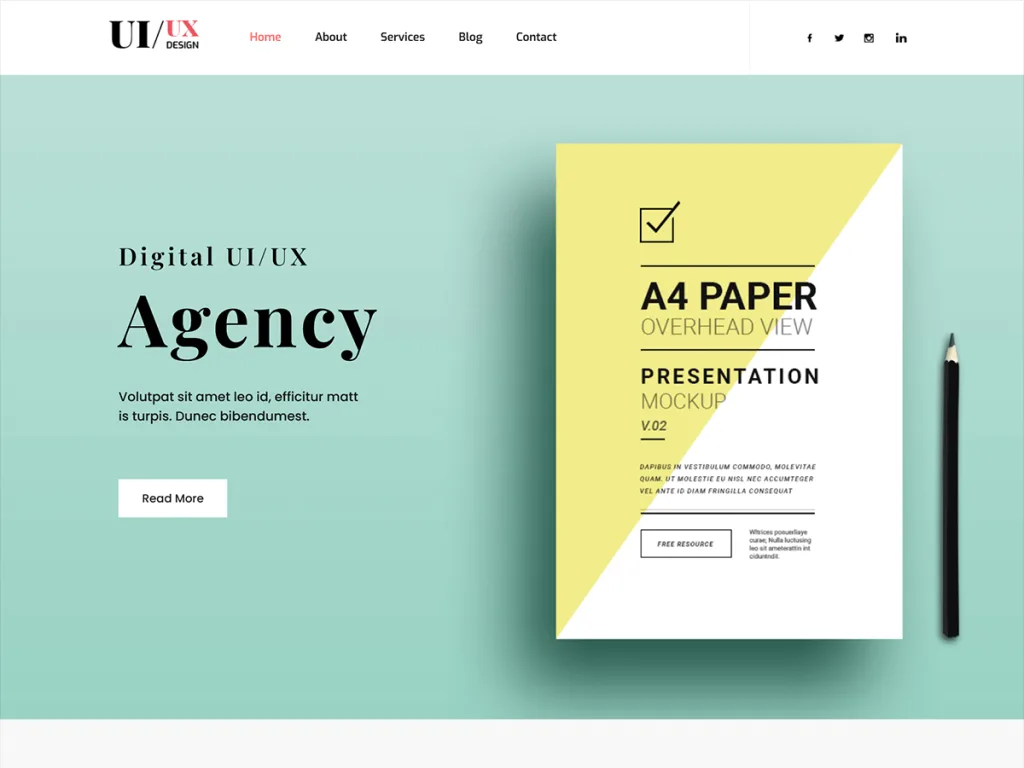
Best for: A ready-made UX and UI portfolio design.
Download: https://wordpress.org/themes/skt-ui-ux/
SKT UI UX is built for UX and UI designers. The homepage puts your projects and skills front and center, so clients see your best work right away.
It offers portfolio grids, case study sections, and space for a bio and skills. The clean, modern design shows you understand good layout and flow.
Setup is quick, and branding takes minutes. For a UX designer who wants a portfolio site made for the field, SKT UI UX is a strong first pick.
2. Web Designer Portfolio
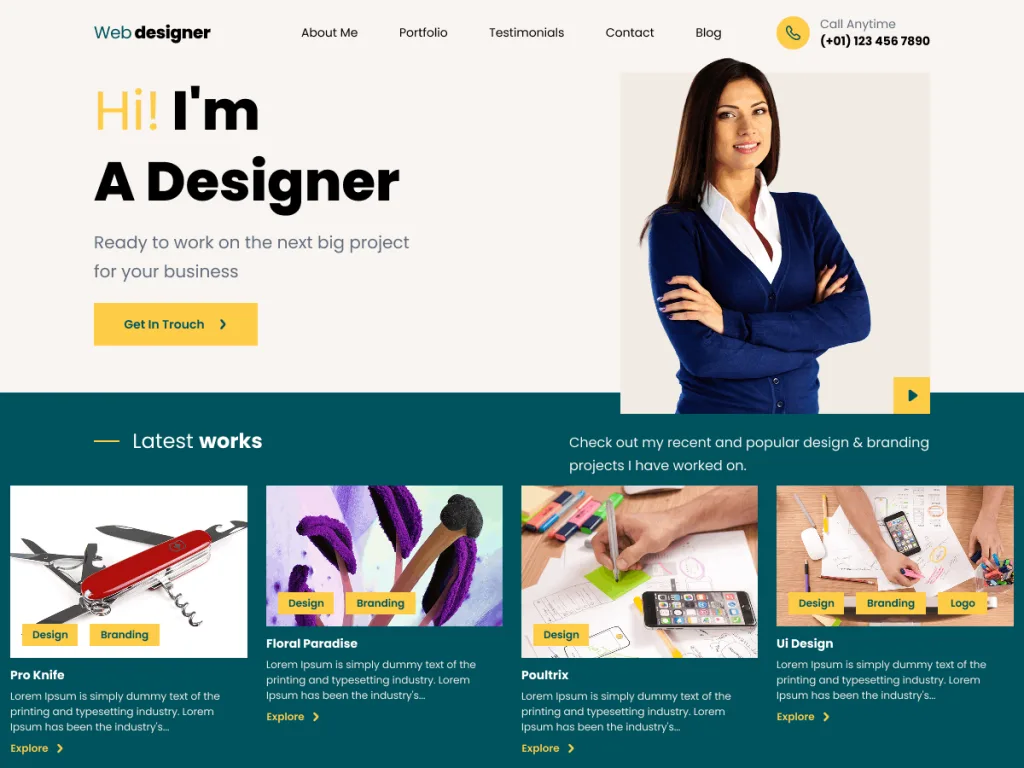
Best for: A popular free pick for designers.
Download: https://wordpress.org/themes/web-designer-portfolio/
Web Designer Portfolio is a well-used free theme for designers of all kinds. It works great for UX, UI, and web designers who want a clean, professional showcase.
It offers project grids, an about section, and clear contact areas. The tidy layout keeps the focus on your work, not the frame around it.
Branding is quick and code-free. For a designer who wants a proven, flexible portfolio theme, Web Designer Portfolio is a safe choice.
3. Aster Portfolio
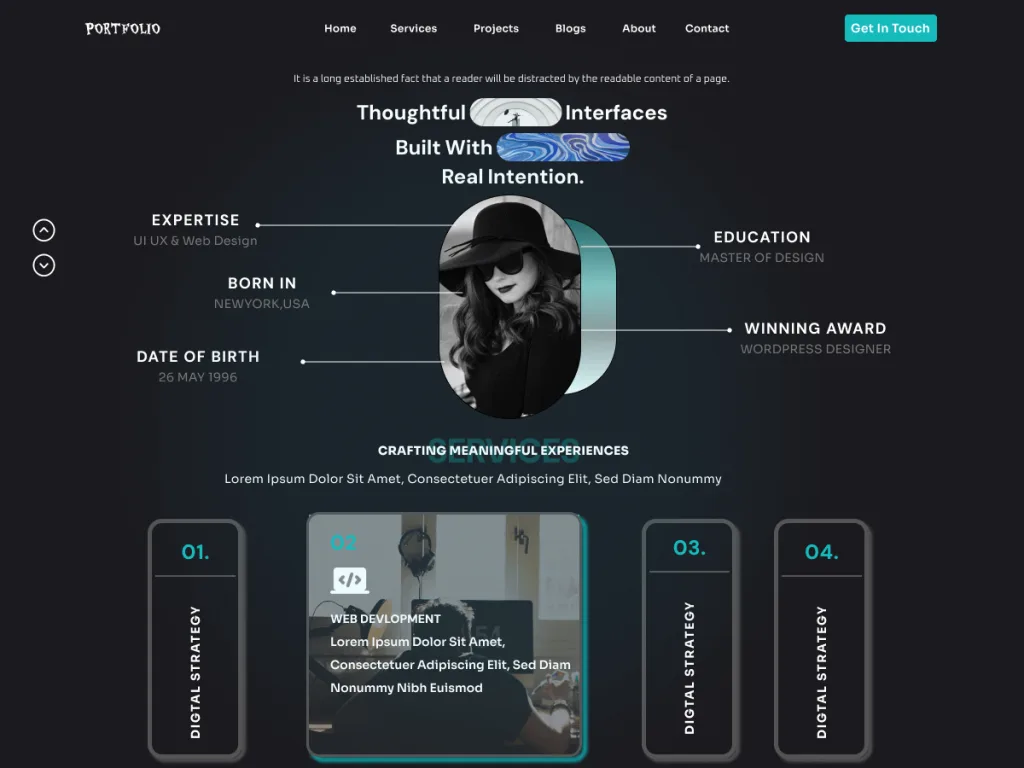
Best for: A clean, modern creative portfolio.
Download: https://wordpress.org/themes/aster-portfolio/
Aster Portfolio offers a clean, modern design for creatives. It suits UX designers who want a sharp, minimal site that lets projects take the spotlight.
It uses roomy grids and large images, so mockups and screens look crisp. Space for a bio and skills helps clients get to know you fast.
Custom colors keep it on brand. For a UX designer who loves a clean, minimal look, Aster Portfolio is a great fit.
4. FSE Freelancer Portfolio
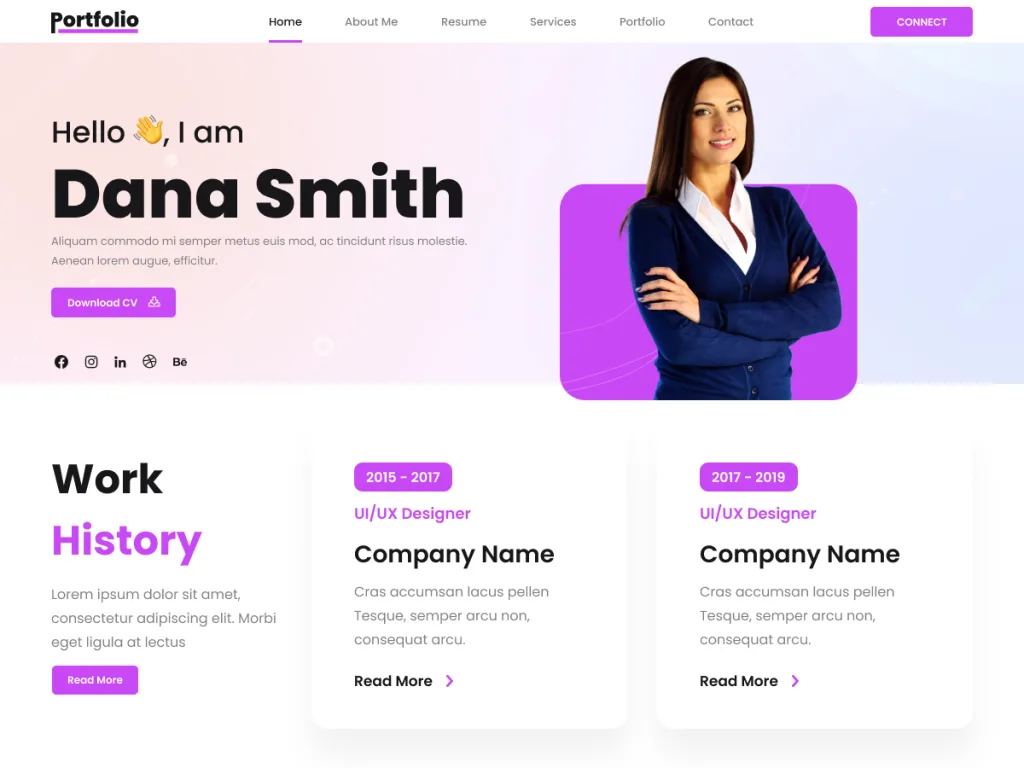
Best for: Freelance UX designers who want full site editing.
Download: https://wordpress.org/themes/fse-freelancer-portfolio/
FSE Freelancer Portfolio uses full site editing, so you can shape every part of your site with blocks. That control is a natural fit for a UX designer.
It comes with ready block patterns for projects, about, and contact. There is no page builder to learn, just clean, modern blocks you can arrange freely.
Branding is quick and code-free. For a freelance UX designer who wants the newest tools and total control, FSE Freelancer Portfolio is a strong modern pick.
5. Fluxari
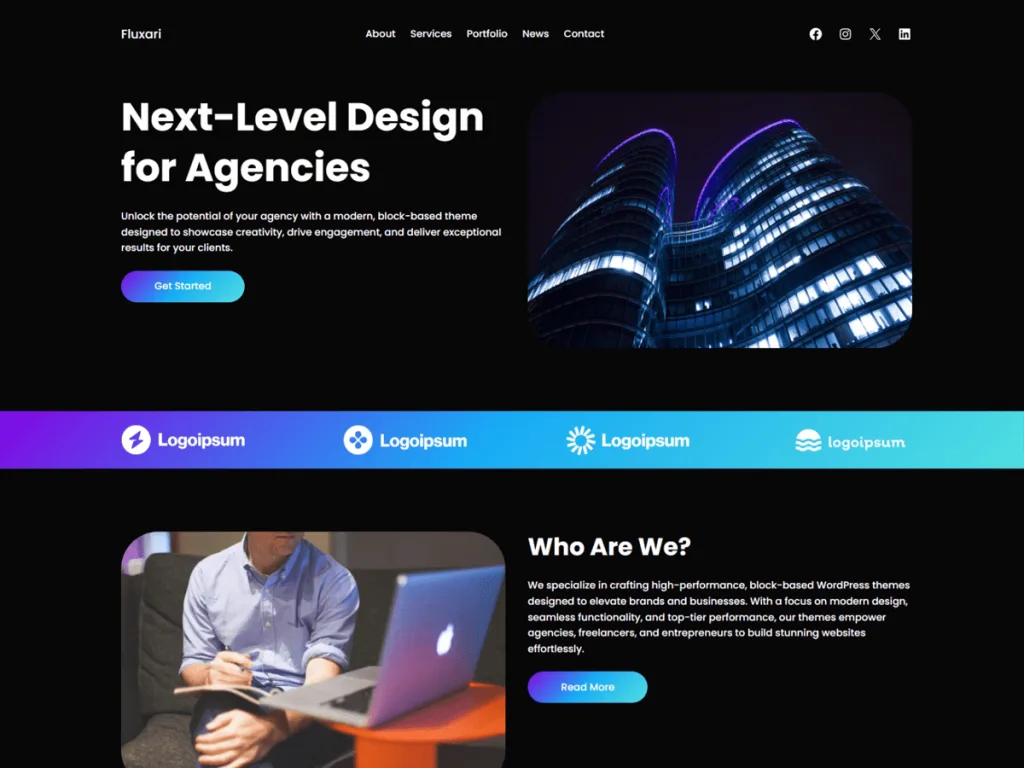
Best for: A sleek, trend-forward portfolio.
Download: https://wordpress.org/themes/fluxari/
Fluxari brings a sleek, modern feel to your portfolio. Its trend-forward design suits UX designers who want a site that looks current and creative.
It uses bold grids and smooth layouts that make projects pop. Space for case studies helps you tell the story behind each design.
Custom colors keep it on brand. For a UX designer who wants a stylish, standout portfolio, Fluxari is a fresh choice.
6. Unique Freelancer Portfolio
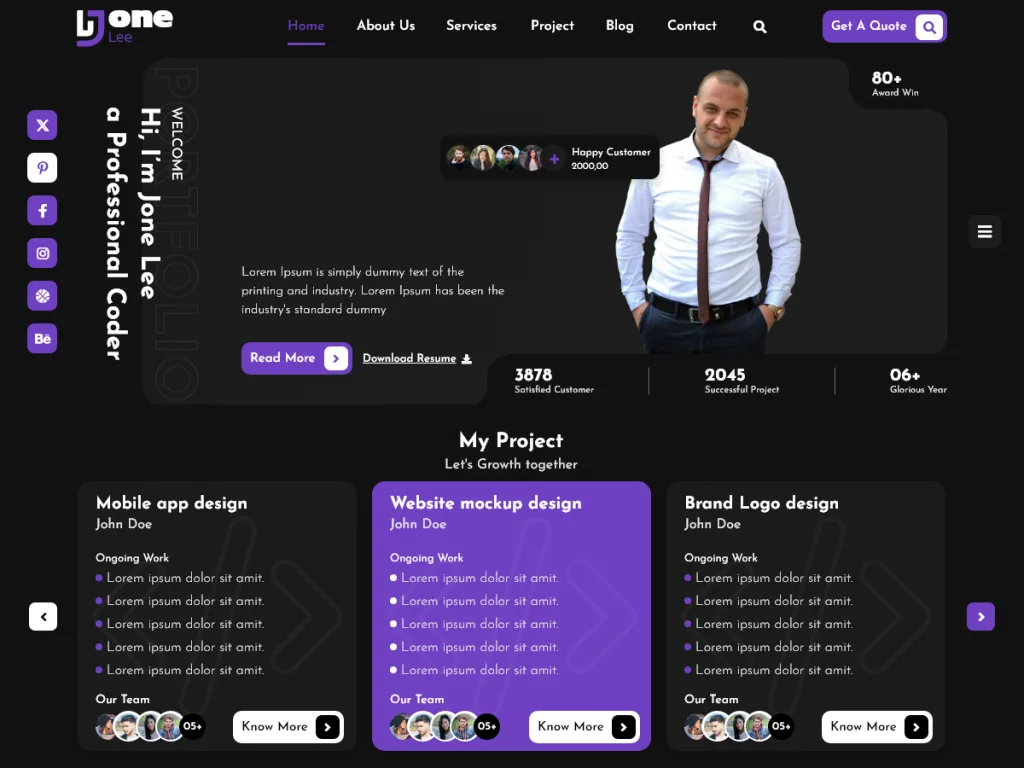
Best for: Freelancers who want a personal, standout site.
Download: https://wordpress.org/themes/unique-freelancer-portfolio/
Unique Freelancer Portfolio is made for solo pros who want a personal touch. It blends a portfolio with a strong hero and about section, so your story comes through.
It offers project grids and clear contact areas, so clients can view your work and reach out fast. The design feels friendly and professional.
Branding takes minutes. For a freelance UX designer building a personal brand, Unique Freelancer Portfolio is a warm, fitting pick.
7. Minimalistic Portfolio
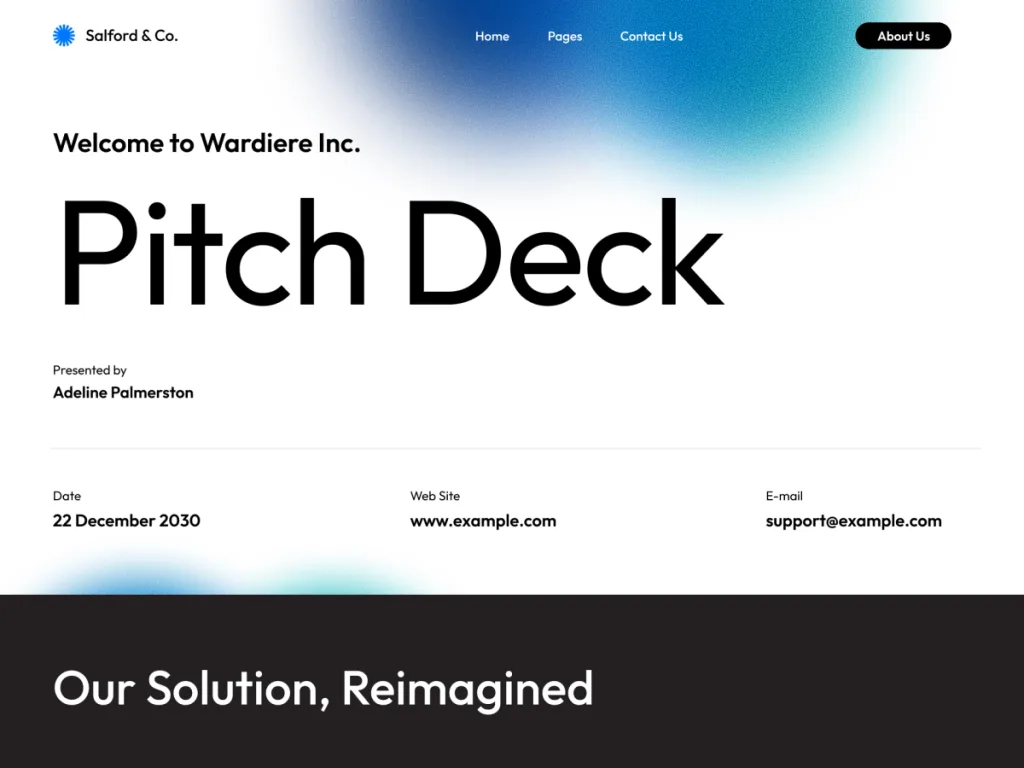
Best for: Designers who love a minimal, no-clutter site.
Download: https://wordpress.org/themes/minimalistic-portfolio/
Minimalistic Portfolio strips everything back to the work. With lots of white space and clean type, it treats each project like a piece in a gallery.
It uses simple grids and large images, so mockups and screens stand out. The minimal style itself signals strong design taste to clients.
Setup is quick. For a UX designer who believes less is more, Minimalistic Portfolio is a perfect match.
8. Astra
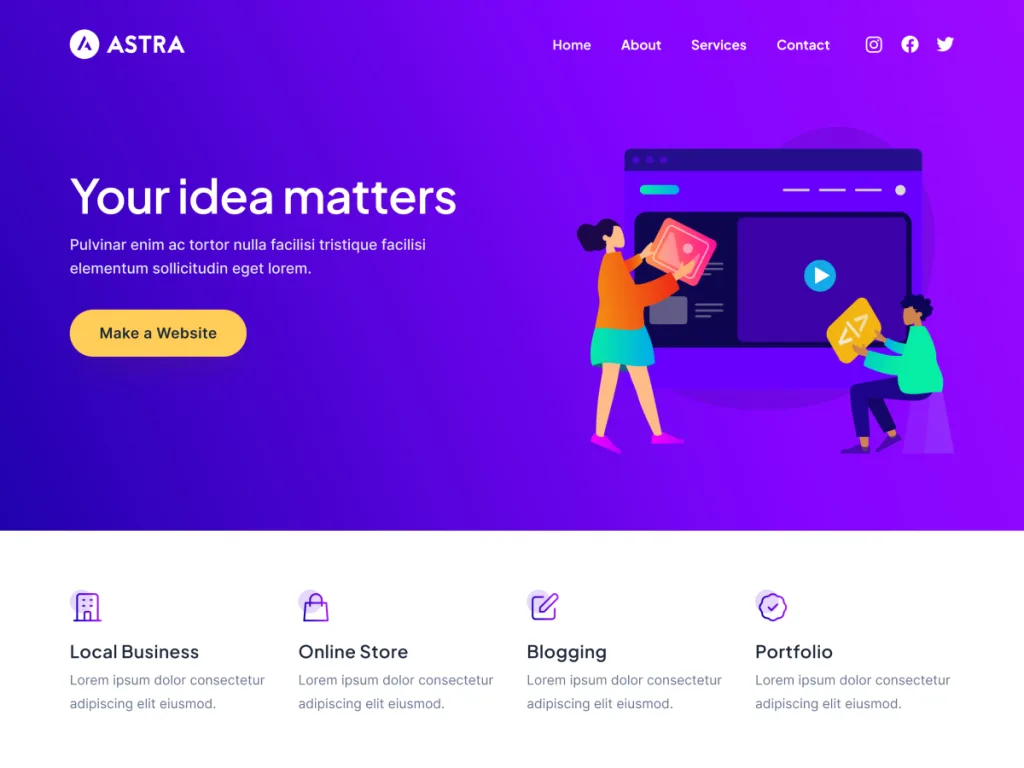
Best for: A fast, flexible base for any UX portfolio.
Download: https://wordpress.org/themes/astra/
Astra powers over a million websites and is loved for its speed. Its starter templates include portfolio designs you can import in one click and fill with your projects.
It works with Elementor and the block editor, so you can build custom case study pages exactly how you want. It stays light even with big galleries.
For a UX designer who wants speed plus full control, Astra is hard to beat.
9. Blocksy
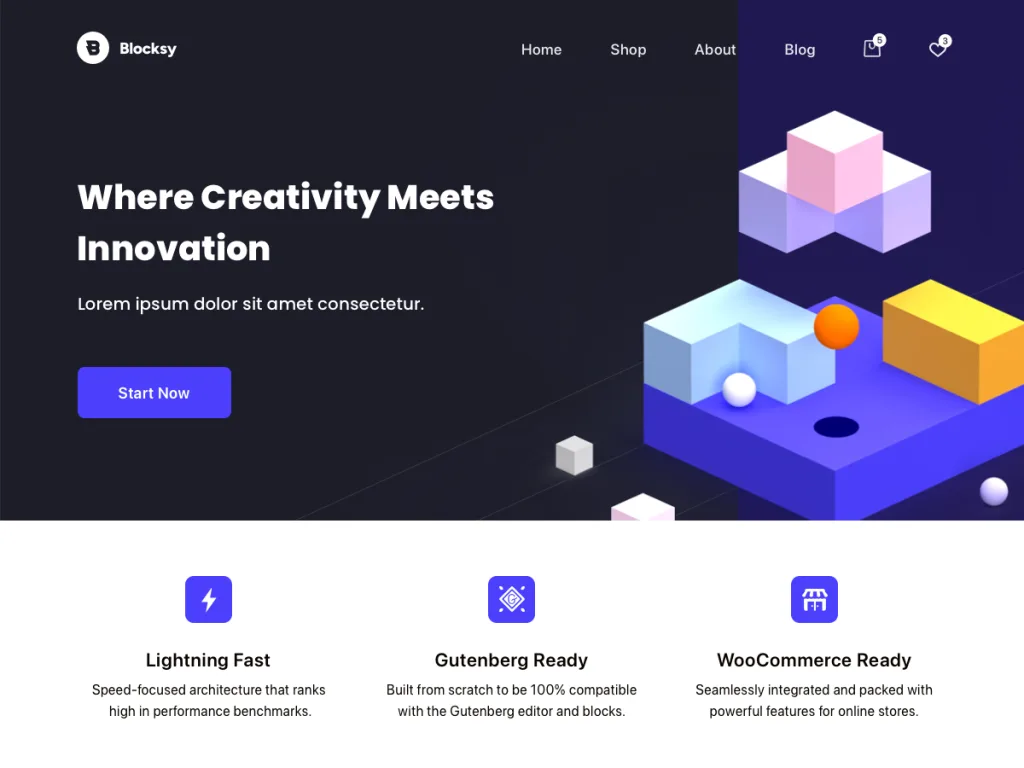
Best for: A modern, block-native portfolio.
Download: https://wordpress.org/themes/blocksy/
Blocksy is a fast, modern theme with a perfect user rating. Built for the block editor, it lets you design clean project grids and case study pages with no extra tools.
Its ready starter sites include portfolio layouts, so you launch quickly. Flexible headers help you place your logo, menu, and hire-me button just right.
For a UX portfolio that feels current and loads fast, Blocksy is a strong modern choice.
10. Kadence
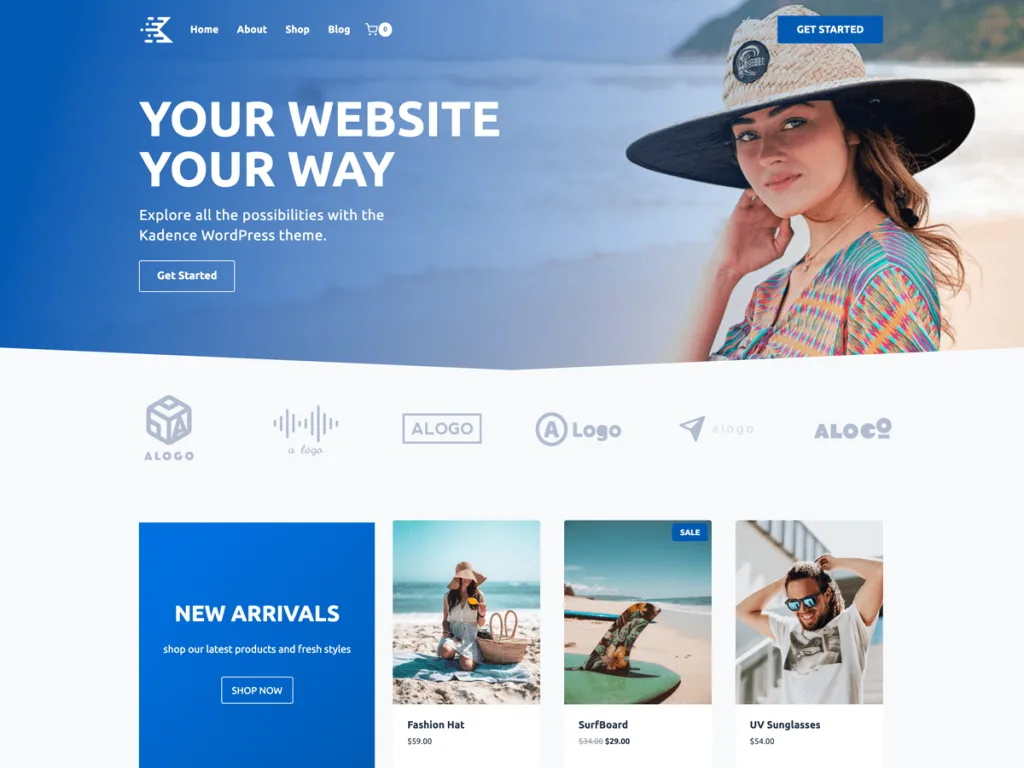
Best for: Designers who want rich starter sites and control.
Download: https://wordpress.org/themes/kadence/
Kadence is a fast, modern theme with a header and footer builder and strong starter sites. Several designs suit portfolios, so you can launch a sharp UX site quickly.
It is accessibility ready and works well with block plugins for galleries and case studies. That focus on access shows clients you care about good UX.
For a UX designer who wants polish and control together, Kadence is a great fit.
Quick Comparison: UX Portfolio Theme Features
| Theme | Best For | Standout Feature |
|---|---|---|
| SKT UI UX | UX and UI designers | Field-specific layout |
| Web Designer Portfolio | All designers | Clean project grids |
| Aster Portfolio | Minimal creatives | Roomy image grids |
| FSE Freelancer Portfolio | Full site editing | Block-based control |
| Fluxari | Trend-forward sites | Sleek modern grids |
| Unique Freelancer Portfolio | Personal brands | Strong hero section |
| Minimalistic Portfolio | Minimal lovers | Gallery-like layout |
| Astra | Fast custom sites | One-click templates |
| Blocksy | Modern portfolios | Block-native design |
| Kadence | Rich starter sites | Header and footer builder |
How to Choose the Right UX Portfolio Theme
Start with your style. If you love minimal design, Minimalistic Portfolio or Aster Portfolio fits. If you want a personal brand, Unique Freelancer Portfolio works well.
Then think about control. If you want to shape every detail, Astra, Blocksy, or Kadence give you full design freedom.
Keep these four points in mind:
- Case studies: Look for layouts that show your process.
- Clean grids: Choose roomy grids that let work breathe.
- Contact form: Make sure clients can reach you fast.
- Speed: A fast site proves you design things well.
Setting Up Your UX Portfolio the Right Way
Building a UX portfolio is easier than most designers expect. In our experience, you can get a clean site live in a single afternoon. Follow these steps to skip the common snags.
- Install your theme from the dashboard under Appearance, then Themes.
- Add three to five case studies that show your best work.
- Explain your process for each project, from problem to solution.
- Compress your images to WebP so pages load fast.
- Add a hire-me form so clients can reach you in one click.
Want a head start? Browse our free WordPress themes and build a UX portfolio that wins clients and job offers.
Common UX Portfolio Mistakes to Avoid
Showing only final screens. Clients want your thinking. Walk through the problem, process, and result for each project.
A cluttered layout. Messy design hurts a UX portfolio most of all. Keep it clean so your work speaks for itself.
Slow, heavy pages. Speed is part of good UX. Compress images and pick a light theme to keep the site quick.
Hiding your contact. Do not make clients hunt. Add a clear hire-me button and contact form on every page.
Frequently Asked Questions
What is the best WordPress theme for a UX portfolio?
SKT UI UX and Astra are top picks, while Blocksy and Kadence are great flexible options for a modern UX portfolio website.
Which is the best free WordPress theme for a UX portfolio?
SKT UI UX and Web Designer Portfolio are strong free choices, with clean grids and case study layouts made for designers.
Can I show case studies with these themes?
Yes. Most include project and case study layouts, so you can walk through your process, problem, and solution for each design.
Do UX portfolio themes support image galleries?
Yes. These themes use grids and galleries, so you can show mockups, wireframes, and final screens in clean, sharp layouts.
Are these themes good for SEO?
Yes. Light themes like Astra and Kadence load fast and use clean code, which helps clients and recruiters find your work.
Do UX portfolio themes work with Elementor?
Yes. Astra, Blocksy, and Kadence all work with Elementor, so you can build custom project pages by dragging and dropping.
Are UX portfolio WordPress themes mobile friendly?
Yes. All ten themes are fully responsive, so your work looks sharp on phones, tablets, and desktops, which matters for design.
Do I need coding skills to build a UX portfolio?
No. Every theme uses the Customizer or a page builder, so you can launch a full UX portfolio without writing any code.
Can I add a contact form for clients?
Yes. Each theme works with free form plugins, so you can add a contact or hire-me form to capture leads and job offers.
Can I switch themes later without losing content?
Yes. Your projects and pages stay safe when you switch themes. You only need to reset menus, widgets, and the homepage layout.
Conclusion
The best WordPress themes for UX portfolio sites do not have to cost a thing. Portfolio picks like SKT UI UX, Web Designer Portfolio, and Aster Portfolio get you live fast, while flexible themes like Astra, Blocksy, and Kadence give you full design control.
Whichever you pick, focus on the essentials: clear case studies, clean grids, an easy contact form, and fast loading. Those four things decide whether your portfolio wins clients or loses them.
Ready to show off your work? Explore our hand-crafted free WordPress themes at StrivioThemes and launch your UX portfolio today.
Keep Reading
More theme guides worth a look: